

Our Service
POS Inventory
System
what you have and what to reorder
Know Your
Stock
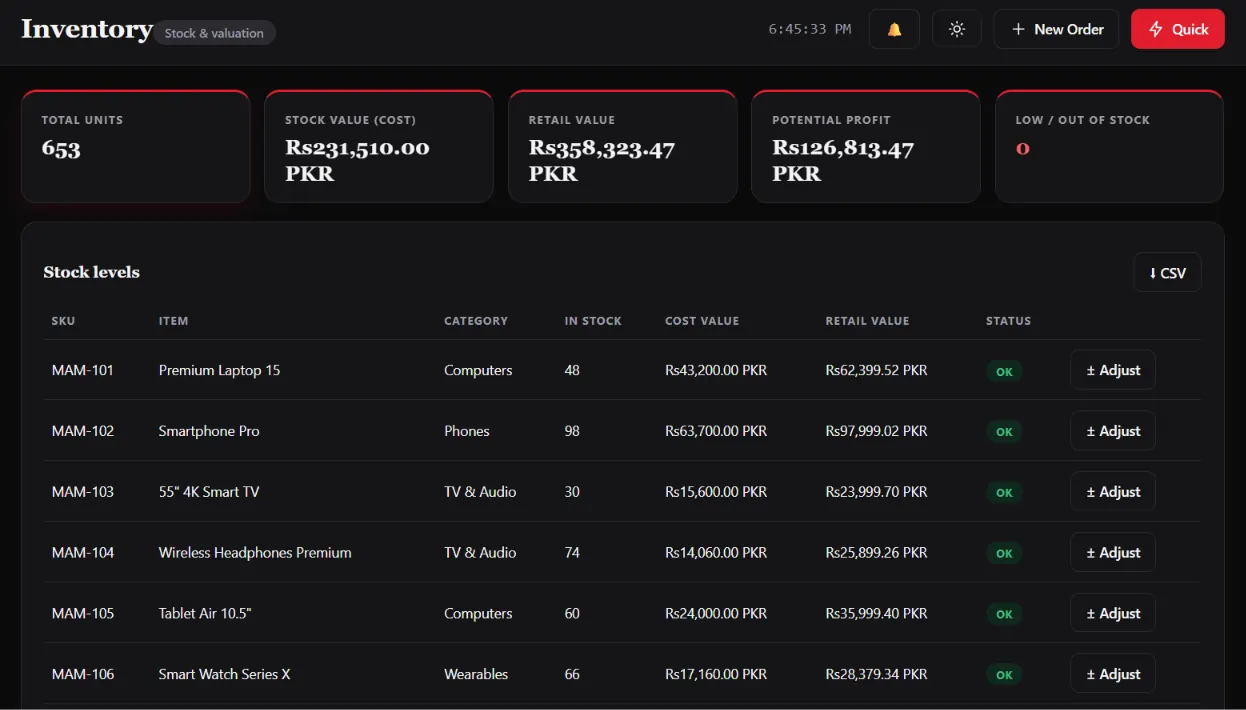
Running out of a best seller, or tying up cash in products that don't move, is a stock-control problem. Our POS inventory system links stock directly to sales and purchases, so quantities stay up to date without manual counting.
You can track items across branches or warehouses, receive stock against purchase orders, and see which products to reorder before they run out. Reports show what sells, what doesn't and where stock is going.
Start a ProjectWhat We Build
Inventory Features
That Matter
Live Stock
Levels
Purchasing &
Suppliers
Low-Stock
Alerts
Batches &
Variants
Stock
Reports
Step By Step
Our Process
Stock Process Review
We look at how stock moves through your business today: receiving, storage, sales, returns and stock-takes.
Product & Data Setup
We plan categories, units, variants and reorder levels so your product data is clean from the start.
Build & Configure
We build the inventory and purchasing tools and link them to billing so every sale updates stock.
Import Opening Stock
We import your product list and opening quantities from spreadsheets, then check them with your team.
Training & Go-Live
We train your staff on receiving stock, adjustments and stock-takes, then go live.
Support & Updates
We stay available for questions and extend the system as you add branches, suppliers or products.
Technology
We Trust
Accurate stock data from day one.
An inventory system is only as good as its starting data, so we help you get that right.
We import your product list and opening stock from spreadsheets, set up units, variants and reorder levels, and run a stock check together with your team before go-live. The system runs in a web browser and can be connected to your POS billing and online store.
Our Work
Inventory & Stock Screens
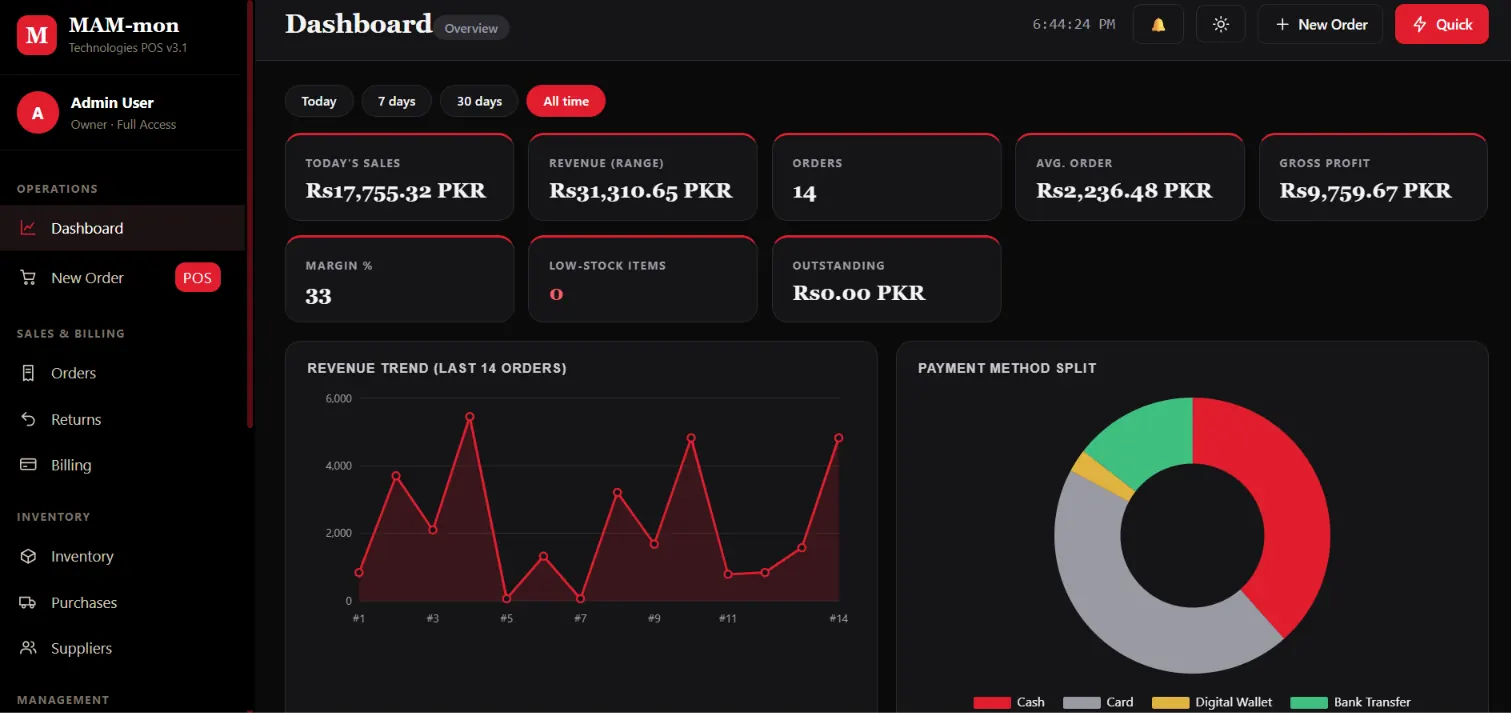
POS System — Dashboard
POS System — Inventory
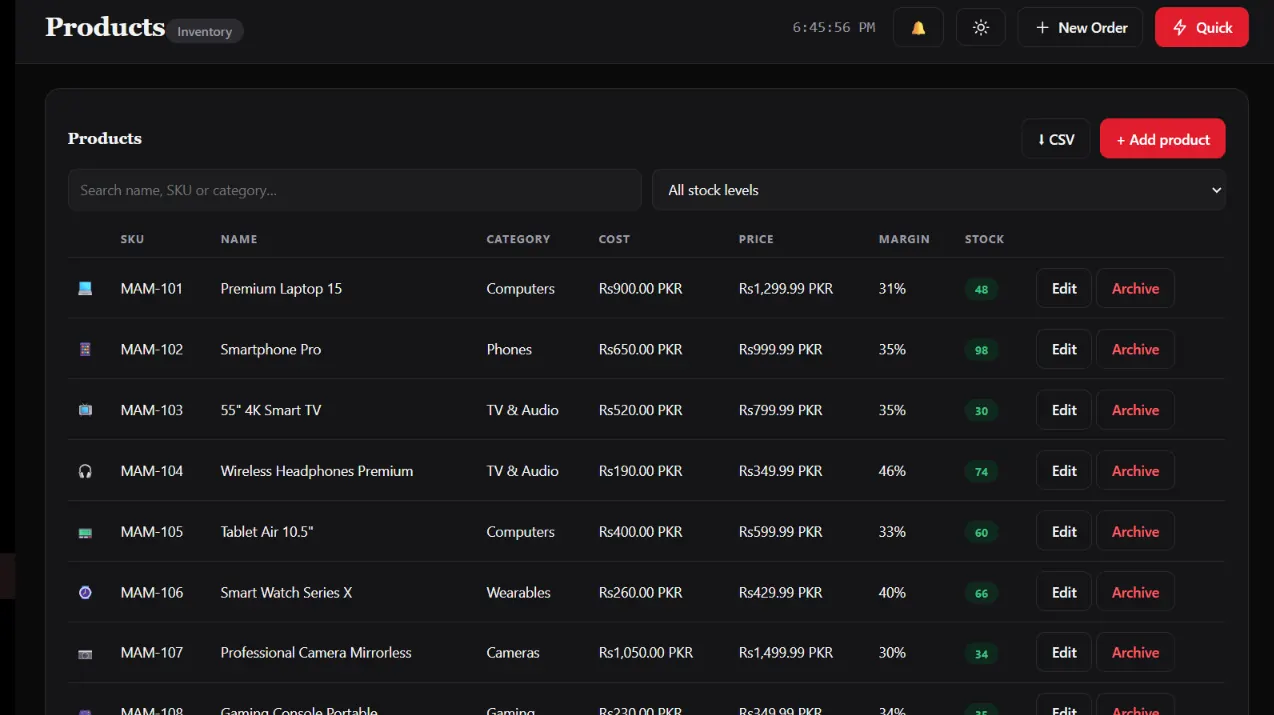
POS System — Products
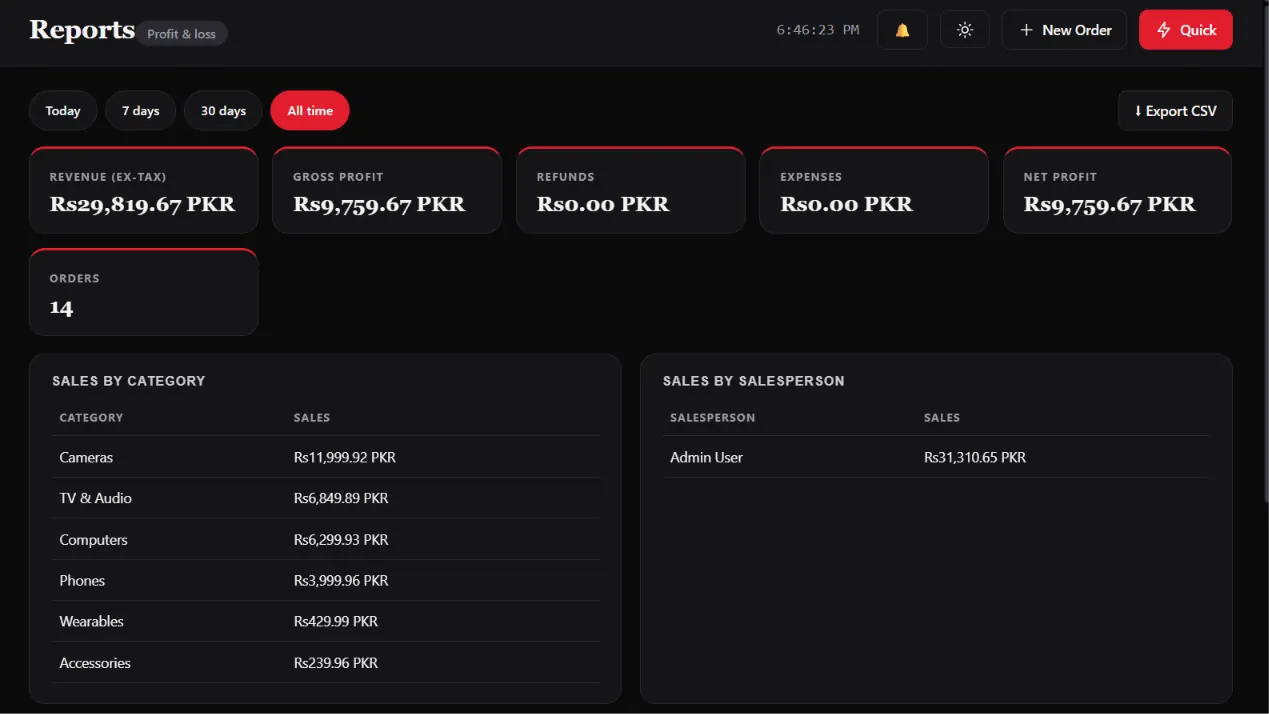
POS System — Reports
Get Started
Ready To Get Stock
Under Control?
with next steps within one business day.